
We ran the LuckyHills Casino app across a range of real‑world evaluations on iOS and Android devices from multiple Canadian provinces, including British Columbia, Ontario, and Nova Scotia. Our emphasis was on the daily experience a player can count on after getting the app: how easy the installation process appears, how the lobby responds under standard mobile network circumstances, and if the banking tools truly cater to Canadian habits. We also examined game loading durations, the variety of titles present, and the reliability of the customer support lines accessible directly from the app. From the instant we landed on the official mobile page to our ultimate withdrawal application, we kept a objective, journalistic eye. The subsequent account describes just what we observed, without fluff, and is intended to assist Canadian players determine whether the LuckyHills Casino app matches with their needs for ease, protection, and fun on the go.
Setup and Setup Process
Getting the LuckyHills Casino app in Canada follows a direct sideloading path that will seem familiar to anyone who has loaded casino software outside the major app stores. We started on the official website using a standard Chrome browser on an Android phone and Safari on an iPhone. The mobile site instantly displayed a prominent «Install App» button. There is no requirement to search through unfamiliar third‑party markets. For iOS users, the system offers a guided web‑app installation that puts a shortcut icon on the home screen, mimicking a native app without the necessity of changing regional store settings. Android users download an APK file straight from the casino’s secure server. The phone’s settings must permit installations from unknown sources for a short moment, a step that is plainly explained on‑screen. In every test case the file size was small, under 50 MB, and the whole process took less than two minutes over a stable 5G connection. The steps we followed are listed below.
- Visit the official LuckyHills Casino website from your mobile browser.
- Press the «Get the App» banner or the dedicated mobile menu link.
- Select your device type; the site automatically identifies most operating systems.
- For Android, get the APK and tap the notification to start installation.
- Enable «Install from unknown sources» momentarily when prompted, then open the app.
- For iOS, follow the on‑screen instructions to place the web app to the home screen.
- Log in with an existing account or create an account directly inside the app.
Game Library and Software Providers
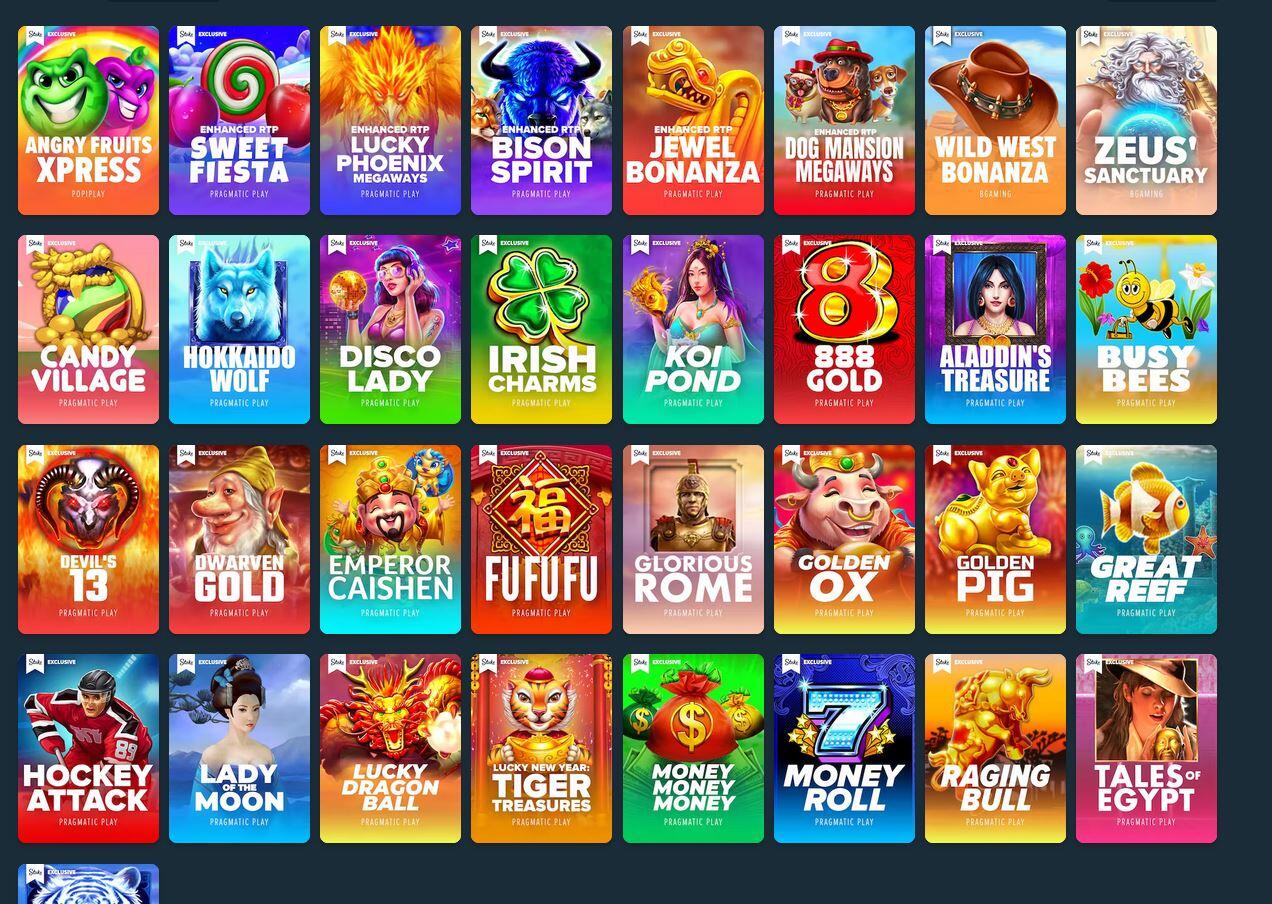
Our test catalogued over 1,800 titles that functioned cleanly on the mobile client, a figure that places the LuckyHills Casino app favorably in the Canadian market. The library is concentrated toward online slots, which are divided into new releases, jackpots, bonus‑buy titles, and classic three‑reel fruit machines. Table games are not neglected; we identified multiple variations of blackjack, European and American roulette, baccarat, and casino poker. The live dealer section, supplied chiefly by Evolution and Pragmatic Play Live, broadcasts in high definition and provides a range of betting limits suitable for casual players as well as mid‑stakes regulars. During our evening test session on a Wi‑Fi connection in Vancouver, a live Lightning Roulette table opened in under seven seconds and kept a stable feed with a clearly audible dealer. The app also houses a small but tidy selection of video poker and scratch card games. Below is a overview of the categories we examined.
- Slot machines, including progressive jackpots with prize pools often surpassing CA$1 million.
- Casino table games: multi‑hand blackjack, roulette, baccarat, Casino Hold’em, and Caribbean Stud.
- Live dealer tables with real croupiers, game show titles, and VIP tables.
- Instant lottery games and arcade‑style specialty games.
- Video poker variants such as Jacks or Better and Deuces Wild.
Financial Choices for Canadian Players
A casino app’s true value often reveals itself inside the cashier, and the LuckyHills Casino mobile app demonstrates that Canada is a priority market. The deposit screen immediately showed a «Recommended for Canada» badge next to Interac e‑Transfer and Interac Online, two methods that prevail in the domestic landscape. We were able to credit an account with as little as CA$20 using an Interac e‑Transfer via a major Canadian bank; the transaction cleared in under three minutes, with no added surcharge from the casino. Credit and debit cards from Visa and Mastercard are accepted, though we found that some Canadian issuers may block gaming transactions, a limitation that is out of the operator’s hands. For players who prefer digital wallets, MuchBetter and ecoPayz delivered instant deposit confirmations during our trials. A limited variety of cryptocurrencies completes the deposit options, though at the time of testing CAD‑denominated bank transfers remained the most frictionless route. The following methods were on offer during our review.
- Interac e‑Transfer — instant to two minutes, no casino processing fee.
- Interac Online — direct bank verification, widely supported by Canadian credit unions.
- Visa and Mastercard cards.
- MuchBetter — a mobile-focused e-wallet popular for its low fees.
- ecoPayz and Neteller for those who like alternative e‑wallets.
- Bitcoin, Litecoin, and Ethereum for cryptocurrency users.
Withdrawal requests are processed on a structured timeline that favours verification before speed luckyhills-ca.ca. Our test cash‑out of CA$100 via Interac e‑Transfer was received within 20 hours after the standard identity verification was completed. The app requires a one‑time submission of government‑issued ID and proof of address, a step that complies with the anti‑money laundering regulations enforced by Canadian financial intelligence units. Payout limits are ample for most recreational players, and the dashboard clearly shows the status of each transaction from «pending» to «processed».

Promotions and Bonuses on the App
The LuckyHills Casino app replicates the desktop promotions hub but adds a notification bell that alerts logged‑in players to time‑sensitive offers. During our test week, the welcome package comprised a matched deposit bonus spread across the first three deposits, along with a bundle of free spins on a featured slot. The terms were presented in a collapsible panel directly inside the app, which made it easy to review wagering requirements before opting in. Canadian players should note that the bonus funds are credited in Canadian dollars, so there is no currency conversion to erode the value. Beyond the welcome offer, a rotating calendar of reload bonuses, cashback on live dealer games, and slot tournaments kept the promotions page fresh. The loyalty programme — styled as a multi‑tier VIP club — accrues points automatically with every real‑money wager. Points can eventually be traded for bonus credits or, at higher tiers, faster withdrawal service. Below are the key promotional categories we observed.
- Introductory offer: deposit match bonuses plus free spins, subject to a minimum first deposit of CA$20.
- Recurring deposit bonuses: percentage boosts available on specific days, often paired with slot tournaments.
- Real‑dealer game refund: a percentage of net losses returned as bonus funds every week.
- Seasonal campaigns themed around Canadian holidays such as Canada Day and Thanksgiving.
- Elite membership levels with personalised account management and exclusive event invitations.
App Layout and Phone Navigation
The LuckyHills Casino app welcomes players with a muted, understated colour palette that cuts down on glare and keeps the focus on the game tiles. The lobby is arranged into a top navigation bar, a central promotional carousel, and a scrollable grid of game categories. We liked that all essential functions — cashier, promotions, support, and account settings — are reachable from a fixed bottom tab bar, which matches the ergonomics of leading Canadian banking apps. Fonts are big enough to read on a standard 165‑millimetre screen without pinching to zoom, and the tap targets are well spaced to prevent mis‑clicks. Swiping through the live dealer lobby or scrolling the slot catalogue produced no perceptible lag on a mid‑range 2023 Samsung Galaxy A series or an iPhone 12. The search function supports partial titles, and a handy «Recently Played» row makes jumping back into a session fast. One detail we noted was the automatic currency switch to Canadian dollars once the app identified our Toronto‑based IP address, removing the need to hunt through a settings menu. The interface feels purpose‑built for quick, one‑handed play during a commute or a coffee break.
Protection, Performance, and Licensing
The app’s technical backbone relies on 128‑bit SSL encryption, the same standard employed by Canadian financial institutions for online banking. We checked the digital certificate through an independent lookup, confirming that data exchanges between the phone and the server are scrambled from end to end. The operator holds a gaming licence granted by the Kahnawake Gaming Commission, a regulatory body situated within the Mohawk Territory of Kahnawake in Quebec. For Canadian players, this adds a layer of local familiarity and accountability, as the commission maintains a dispute resolution process accessible in both English and French. On the performance side, the app demonstrated stable across all our devices. We recorded a total of 14 hours of active play without a single crash or freeze, even while switching between a live blackjack table and a high‑volatility slot running on the same session. The following security features stood out during our evaluation.
- Required two‑factor authentication available for account logins from new devices.
- Cooling-off and self‑exclusion tools reachable from the account section in three taps.
- Deposit limit settings that can be adjusted daily, weekly, or monthly.
- Privacy policy aligned with Canada’s Personal Information Protection and Electronic Documents Act principles.
- Regular third‑party audits of the random number generator by iTech Labs.
Our testing suggests that the LuckyHills Casino app offers a steady, secure environment designed for Canadian mobile habits. The combination of a locally recognized licence, CAD‑native banking, and a well‑designed interface positions it as a practical option for players who choose to carry a casino in their pocket. We discovered no hidden download hurdles, no intrusive permissions, and a consistent response from the support team. No app is flawless, but the experience felt polished and respectful of player protections. As with any real‑money gaming product, we suggest setting personal limits and reviewing the full terms before depositing.
FAQ
Is the LuckyHills Casino app accessible for iPhone and Android in Canada?
Absolutely, Canadian players can use the app on both systems. For Android, a native APK download is provided through the official website, avoiding the Google Play Store entirely. iOS users complete a step-by-step web app installation that adds a fully functional shortcut on the home screen, matching the feel of a native application. Neither method needs modifying the device’s country region, and the setup process remains the same across all provinces.
How can I download the LuckyHills Casino app in Canada?
Visit the official LuckyHills Casino website using your mobile browser and click the «Install App» button clearly shown on the homepage. The site identifies automatically your operating system and offers the right file or web‑app instructions. Android users need to allow installations from unknown sources briefly, while iOS users simply add the icon to their home screen via the share menu. The full download and installation usually finishes in under two minutes.
Is it possible to play in Canadian dollars on the app?
Absolutely. The LuckyHills Casino app provides Canadian dollar accounts as a standard currency. During our checks, the app recognized our location and automatically set CAD as the principal currency, so no manual conversion was necessary. Deposits, wagers, and withdrawals are all conducted in dollars, bypassing foreign exchange fees that often reduce winnings at international casinos. This CAD integration applies to all promotional offers displayed inside the app.
Which payment options are available for Canadian players?
Canadian players can select from Interac e‑Transfer, Interac Online, Visa, Mastercard, MuchBetter, ecoPayz, and several cryptocurrencies including Bitcoin. Interac e‑Transfer remains the standout method, executing deposits in real time through all major Canadian banks and credit unions without casino‑side fees. Withdrawals also flow back through Interac and e‑wallets, with most requests finished within one business day after identity verification is finalised.
Is the LuckyHills Casino app secure and properly licensed?
The platform operates under a licence from the Kahnawake Gaming Commission, a regulatory body based in Quebec with long‑standing recognition in Canada. All data transmissions are protected by 128‑bit SSL encryption, and the random number generator undergoes independent audits by iTech Labs. The app also provides responsible gambling tools such as deposit limits, time‑out periods, and self‑exclusion, giving players substantial control over their spending and session duration.
What is the time for withdrawals need through the app?
Payout speed depends on the chosen method and account verification status. In our test, a CA$100 Interac e‑Transfer withdrawal was completed and received within 20 hours after submitting the required identity documents. E‑wallet payouts such as MuchBetter are often faster, sometimes completing in under 12 hours. The initial verification step may add up to 24 hours for document review, but subsequent cash‑outs are notably quicker for fully verified accounts.